
Run every screen from one place.
DO Sign puts your videos, images, menus and dashboards on every screen you have, at one site or many, and lets your team change them in seconds. If the internet drops, the screens keep playing.
Runs on Windows, Android, Samsung Tizen and any web browser, and manages ePaper (eInk) displays too.
One platform for every screen
Use the screens you already have. DO Sign plays on whatever drives them, and one CMS manages them all, ePaper displays included.
-
Windows PCs
The DO Sign player on any Windows PC or mini PC behind a screen.
-
Android
Android screens, TV boxes and tablets, with the DO Sign app.
-
Samsung Smart Signage
The DO Sign app runs on the Tizen display itself, with no box behind it.
-
Any web browser
The URL player for LG webOS, other smart displays and tablets: open one address and play.
-
ePaper (eInk)
Battery-powered ePaper displays, managed in the same CMS as your other screens.
The Windows, Android and Samsung apps keep playing when the network drops. The browser player needs the network.
What DO Sign does
DO Sign is a digital signage platform. You manage content in a web-based CMS, and a player app on each screen downloads it and plays it on schedule, wherever the screen is.
-
Live publishing
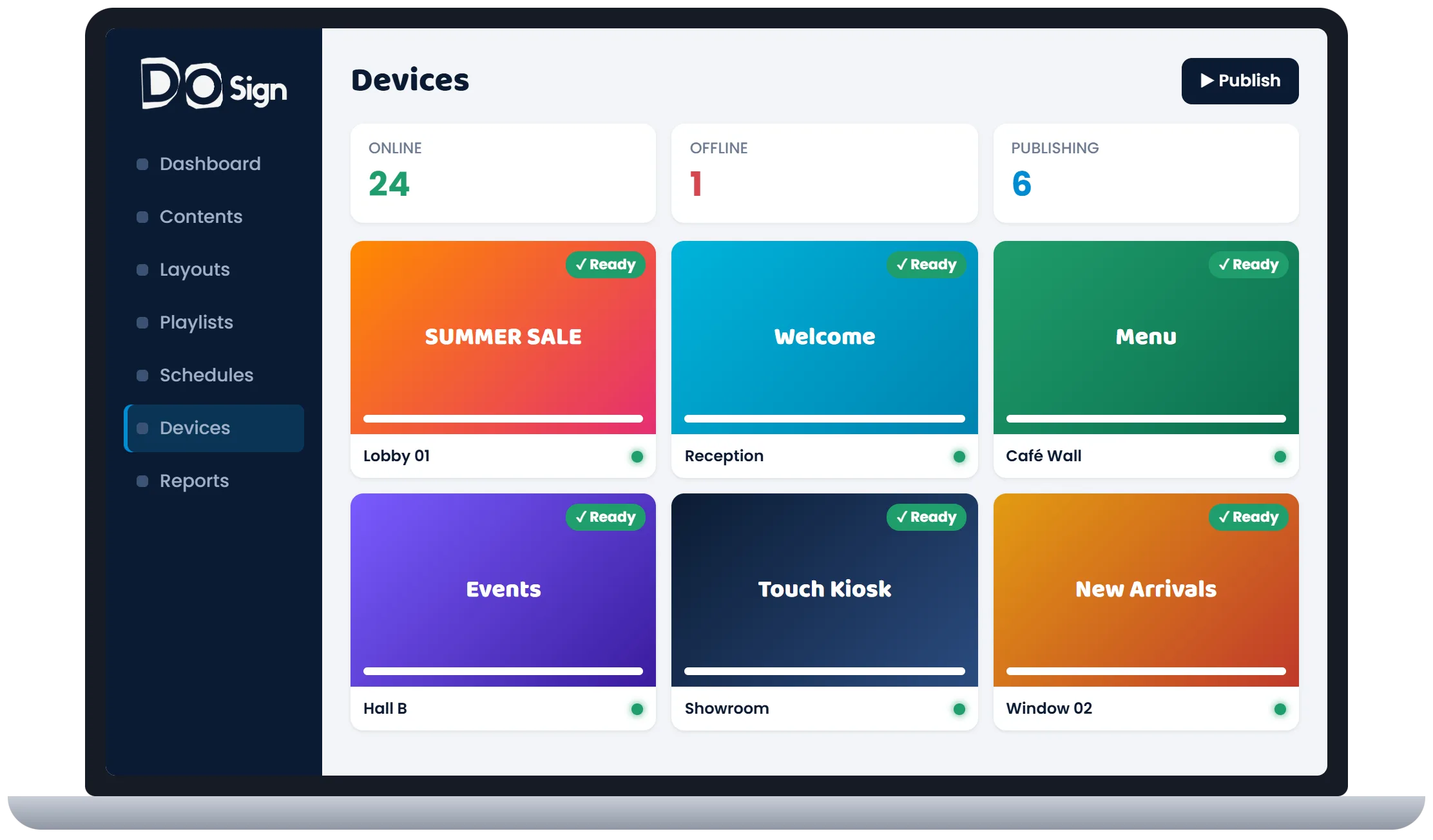
Change what’s on screen in seconds, on one screen or a whole group.
-
Works offline
Each screen keeps a copy of its content and keeps playing when the network drops.
-
Touch kiosks
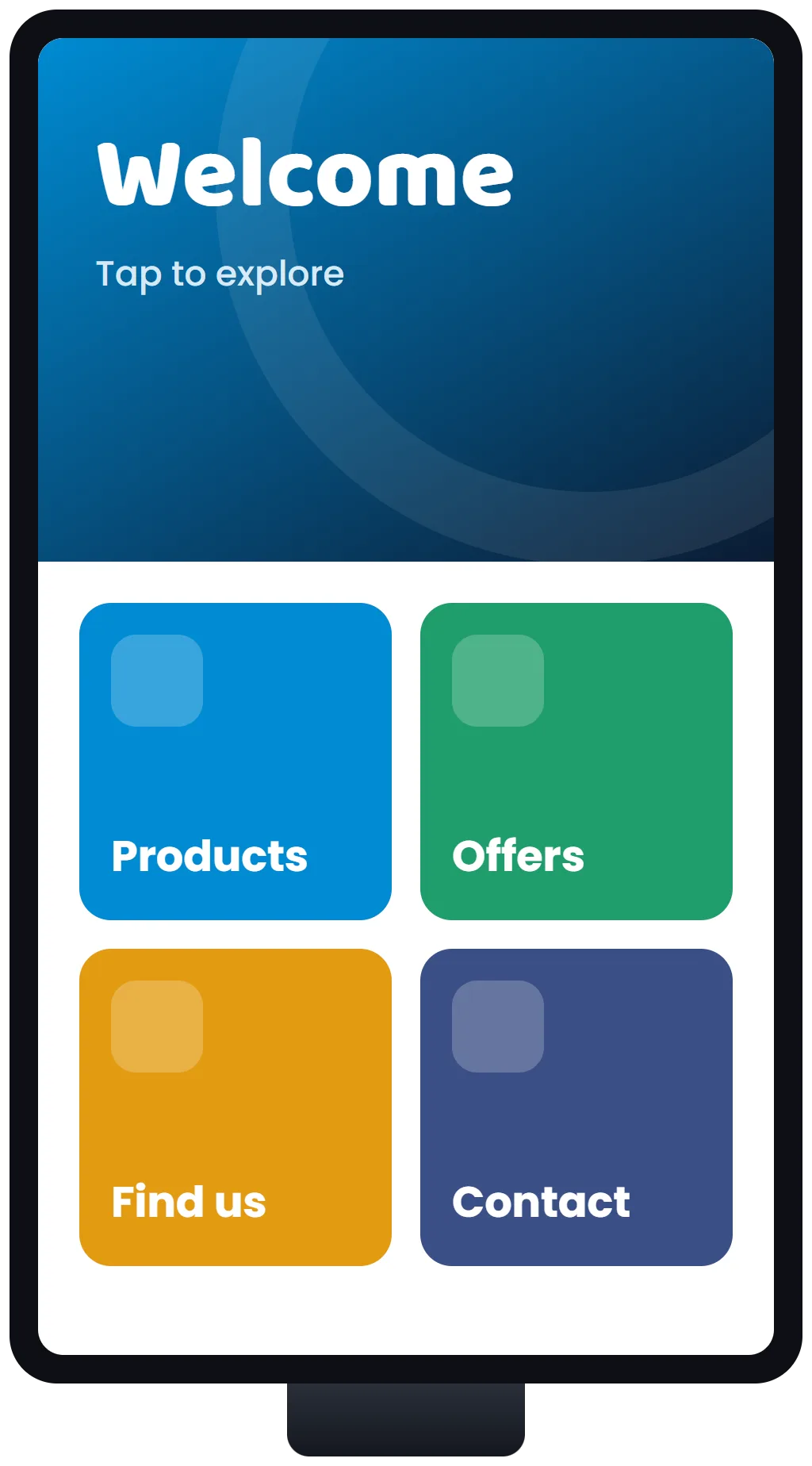
Screens with buttons that open pages, PDFs and videos, and PIN-locked pages for staff.
-
Smart scheduling
Choose what plays by time of day, day of the week and group of screens.
-
Emergency alerts
Put one message on every screen at once, and clear it again with one click.
-
Every kind of screen
Windows, Android, Samsung Tizen and any web browser, plus ePaper (eInk) displays.
Also included
- Layouts that split a screen into zones: video, clock, weather, news ticker and tables
- Images, video, PDF and PowerPoint, web pages and Power BI dashboards
- A live view of every screen: online status, screenshots and remote restart
- Proof-of-play reports: what played, where and when
- User roles, two-step sign-in and Microsoft 365 sign-in
- ePaper (eInk) displays, as a yearly add-on
- Hosted by DO Sign, or on your own server
From upload to on screen in three steps
Upload
Add images, videos, PDFs and PowerPoint files, or link a web page or a Power BI report.
Schedule
Arrange content into playlists, or layouts with several zones, and pick the days and hours each one plays.
Publish
Send it to one screen or a group. The CMS shows each screen downloading it, then ready.
Screens people can touch
Turn a touch screen into a kiosk for product catalogues, menus, directions or a welcome desk. Buttons open your pages, PDFs and videos, Back and Home are always there, and the screen returns to the start when nobody has touched it for a while.
- Works on Samsung, Android and Windows touch screens
- Staff-only pages locked with a PIN
- Keeps working offline, like the rest of DO Sign
Where DO Sign fits
-
Shops and showrooms
Promotions, price boards and product videos, changed from head office.
-
Offices and factories
News, safety messages and live dashboards for staff.
-
Restaurants and cafés
Menus that change with the time of day, with nothing to reprint.
-
Receptions and lobbies
Welcome messages, directions and touch kiosks for visitors.
Tell us about your screens
How many you have, where they are and what they should show. We’ll reply with a quote.